HomeBlogRSCIT Paper 21 December 2025 with Answer Key: Check All Questions & Solutions
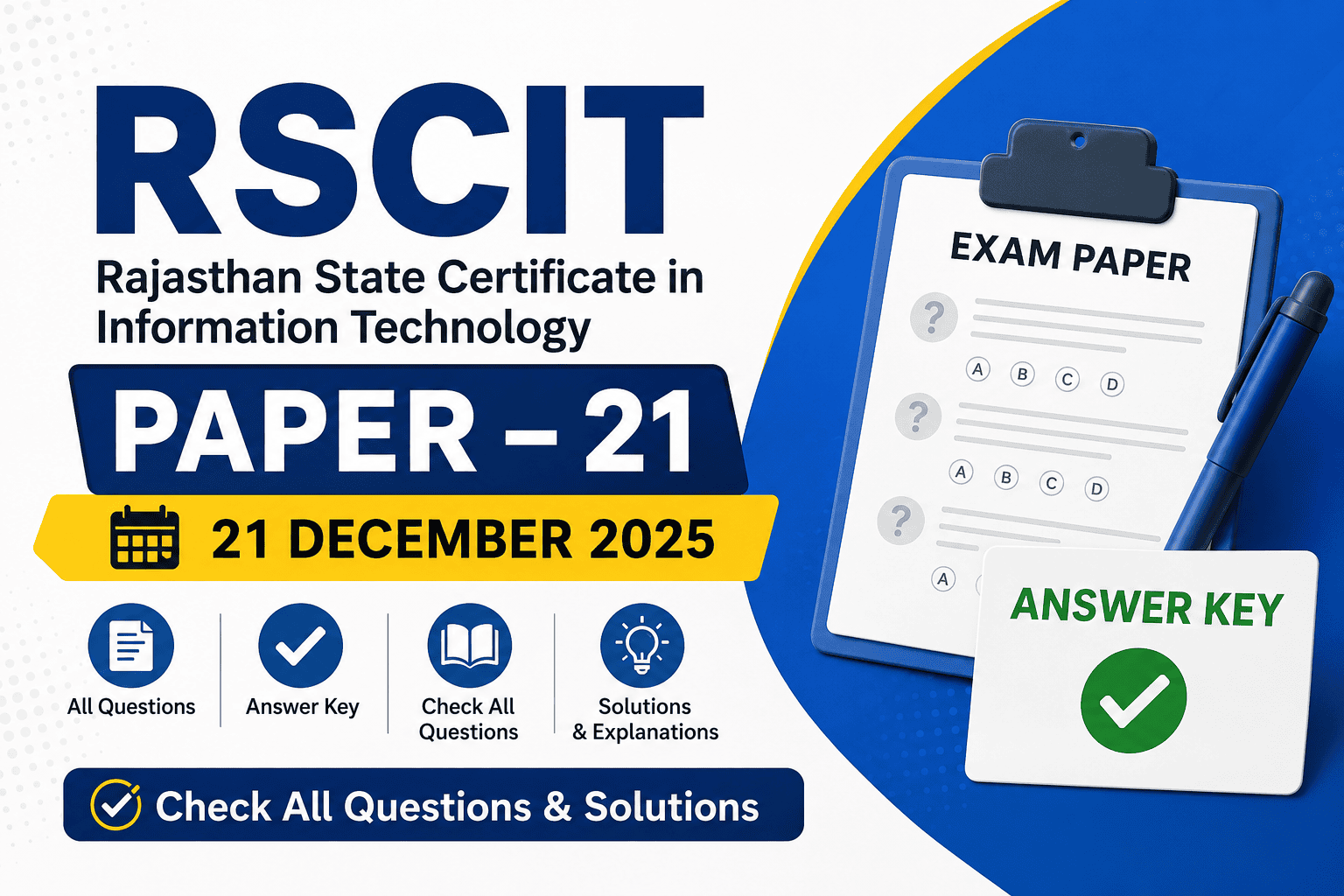
RSCIT Paper 21 December 2025 with Answer Key: Check All Questions & Solutions
successpoint64
04-Jul-2026 13:14:56 PM
RSCIT Paper 21 December 2025 with Answer Key
If you appeared for the RSCIT exam held on 21 December 2025, this is the right place to match your answers and estimate your score. Below, you'll find the complete RSCIT paper 21 December 2025 with answer key, along with everything you need to know before checking your solutions.
The RSCIT exam on 21 December 2025 was conducted by Vardhman Mahaveer Open University (VMOU) in association with RKCL for candidates in the districts not covered under the 14 December 2025 session. The exam consisted of 35 multiple-choice questions worth 70 marks, held for one hour. VMOU released the tentative answer key a few days after the exam, followed by a revised tentative answer key after reviewing candidate objections. The RSCIT paper 21 December 2025 with answer key below lets you check your responses booklet-wise (Series A, B, C, D) and calculate your probable score ahead of the official result.
About the RSCIT Exam Held on 21 December 2025
Exam date: 21 December 2025
Conducted by: VMOU Kota, in collaboration with RKCL
Exam pattern: 35 objective-type questions, 2 marks each (70 marks), plus internal assessment marks from the course
Duration: 1 hour
Booklet series: A, B, C, and D — each with a different question sequence, so make sure you check the answer key matching your own booklet code
Answer key release: Tentative answer key released shortly after the exam, with a revised tentative answer key issued later on the official VMOU website after considering objections
Result: Declared alongside the 14 December 2025 batch, around mid-to-late January 2026, on rkcl.vmou.ac.in
Below is the complete question-wise RSCIT paper 21 December 2025 with answer key:
Q1: What is the full form of NPCI in reference to the RuPay card?
रुपे (RuPay) कार्ड के सन्दर्भ में एनपीसीआई (NPCI) का पूर्ण रूप क्या है?
(A) National Payment Code of India (नेशनल पेमेंट कोड ऑफ इंडिया)
(B) National Private Commercial Institute (नेशनल प्राइवेट कमर्शियल इंस्टीट्यूट)
(C) National Payment Corporation of India (नेशनल पेमेंट कॉर्पोरेशन ऑफ इंडिया)
(D) National Payment Clearance Interface (नेशनल पेमेंट क्लीयरेंस इंटरफेस)
Answer: (C) National Payment Corporation of India
Q2: Which of the following is an example of a Mobile/Digital Wallet?
निम्नलिखित में से कौन सा मोबाइल/डिजिटल वॉलेट का उदाहरण है?
(A) RTGS (आरटीजीएस)
(B) NEFT (नेफ्ट)
(C) PayTM (पेटीएम)
(D) POS (पॉइंट ऑफ सेल)
Answer: (C) PayTM
Q3: An email attachment is referred to as?
ईमेल अटैचमेंट को क्या कहा जाता है?
(A) The name of CC (CC का नाम)
(B) The address of sender (प्रेषक का पता)
(C) Subject (विषय)
(D) Any document that can be attached and sent with an email (कोई भी दस्तावेज़ जिसे ईमेल के साथ संलग्न किया जा सके)
Answer: (D) Any document that can be attached and sent with an email
Q4: What can happen if Windows Firewall is turned off on the system?
यदि आपके सिस्टम पर विंडोज फायरवॉल बंद हो तो क्या हो सकता है?
(A) You will not be able to surf the Internet (आप इंटरनेट सर्फ नहीं कर पाएंगे)
(B) You cannot install any application software (आप कोई भी एप्लिकेशन इंस्टॉल नहीं कर सकते)
(C) Windows Firewall is useless and nothing will happen (विंडोज फायरवॉल बेकार है)
(D) Your system can become more vulnerable to hackers and malicious software (आपका सिस्टम हैकर्स और दुर्भावनापूर्ण सॉफ्टवेयर के प्रति अधिक संवेदनशील हो सकता है)
Answer: (D) Your system can become more vulnerable to hackers and malicious software
Q5: Match the Google Workspace Tool with its Primary Component/Purpose.
गूगल वर्कस्पेस टूल का उसके प्राथमिक घटक/उद्देश्य से मिलान करें।
I. Google Docs
II. Google Sheets
III. Google Slides
IV. Google Calendar
P. Collaborative Presentation Slides
Q. Collaborative Word Processing Document
R. Manages Time, Tasks and Creates Events
S. Collaborative Spreadsheet
(A) I-S, II-Q, III-P, IV-R
(B) I-R, II-Q, III-P, IV-S
(C) I-Q, II-S, III-P, IV-R
(D) I-R, II-S, III-Q, IV-P
Answer: (C) I-Q, II-S, III-P, IV-R
Q6: A user receives an urgent-looking email claiming to be from their bank asking them to verify account details. What type of cyber threat is this?
एक उपयोगकर्ता को उसके बैंक के नाम से एक ईमेल प्राप्त होता है जिसमें खाता सत्यापित करने के लिए लिंक पर क्लिक करने को कहा जाता है। यह किस प्रकार का साइबर खतरा है?
(A) Denial of Service (DoS) Attack
(B) Malvertising
(C) Phishing
(D) Session Hijacking
Answer: (C) Phishing
Q7: What is the main purpose of the Raj-eGyan Portal launched by the Government of Rajasthan?
राजस्थान सरकार द्वारा शुरू किए गए राज-ईज्ञान पोर्टल का मुख्य उद्देश्य क्या है?
(A) Providing a Job Search Platform
(B) Facilitating Online Payments
(C) Providing Grievance Redressal
(D) Ensuring Availability of Digital Education Material for Students
Answer: (D) Ensuring Availability of Digital Education Material for Students
Q8: In Denial of Service (DoS) attacks, what does the attacker do?
सेवा अस्वीकार (DoS) हमलों में, हमलावर क्या करता है?
(A) Steals passwords using a keylogger
(B) Overloads the computer by sending excessive traffic or data
(C) Sends a phishing email
(D) Corrupts the source code
Answer: (B) Overloads the computer by sending excessive traffic or data
Q9: Under the Rajasthan Jan-Aadhaar Yojana, who is generally designated as the head of the family?
राजस्थान जन-आधार योजना के तहत परिवार का मुखिया किसे बनाया जाता है?
(A) A female aged 18 years or above
(B) A male aged 21 years or above
(C) The eldest family member
(D) The first registered family member
Answer: (A) A female aged 18 years or above
Q10: Which Rajasthan e-Governance initiative provides an integrated grievance redressal platform?
राजस्थान ई-गवर्नेंस की कौन सी पहल शिकायत पंजीकरण एवं ट्रैकिंग की सुविधा प्रदान करती है?
(A) Raj e-Vault
(B) Jan-Aadhaar Yojana
(C) Rajasthan Sampark
(D) Raj-eGyan
Answer: (C) Rajasthan Sampark
Q11: To convert paper into an editable document, a scanner would employ…….. technology. (कागज़ को संपादन योग्य दस्तावेज़ में बदलने के लिए, स्कैनर - तकनीक का उपयोग करेगा।)
(A) UPC यूपीसी
(B) Scanning स्कैनिंग
(C) Conversion कन्वर्शन
(D) OCR ओसीआर
Answer: (D) OCR
Q12: Which Windows utility allows you to take a screen shot of any object on the screen, annotate, save and share it as an image? (कौन सी विंडोज यूटिलिटी आपको स्क्रीन पर किसी भी ऑब्जेक्ट का स्क्रीनशॉट लेने, एनोटेट करने, सहेजने और उसे छवि के रूप में साझा करने की अनुमति देती है?)
(A) Calculator कैलकुलेटर
(B) Snipping Tool स्नाइपिंग टूल
(C) Math Input Panel मैथ इनपुट पैनल
(D) Windows Mobility Center विंडोज मोबिलिटी सेंटर
Answer: (B) Snipping Tool
Q13: What is the primary function of the Domain Name System (DNS)? (डोमेन नाम प्रणाली (DNS) का प्राथमिक कार्य क्या है?)
(A) To translate human-readable domain names into numerical IP addresses (मानव-पठनीय डोमेन नामों को संख्यात्मक IP पतों में अनुवाद करना)
(B) To check the privacy settings of a website (किसी वेबसाइट की गोपनीयता सेटिंग्स की जाँच करना)
(C) To determine the maximum attachment size for an email (किसी ईमेल के लिए अटैचमेंट की अधिकतम साइज निर्धारित करना)
(D) To act as a firewall for internet security (इंटरनेट सुरक्षा के लिए फायरवॉल के रूप में कार्य करना)
Answer: (A) To translate human-readable domain names into numerical IP addresses
Q14: The user decides to permanently remove a file named 'old_data.txt' without sending it to the Recycle Bin. Which keyboard combination must they use for this action? (उपयोगकर्ता 'old_data.txt' नामक फाइल को रीसायकल बिन में भेजे बिना उसे स्थायी रूप से हटाने का निर्णय लेता है। इस क्रिया के लिए उन्हें किस कीबोर्ड संयोजन का उपयोग करना होगा?)
(A) Alt + Delete
(B) Shift + Delete
(C) Ctrl + Delete
(D) Windows Key + D
Answer: (B) Shift + Delete
Q15: To offset the key quoted paragraph slightly from both the left and right margins, making it look different from the rest of the document, you are most likely to use which feature? (मुख्य उद्धृत पैराग्राफ को बाएँ और दाएँ मार्जिन से थोड़ा सा ऑफसेट करने के लिए, जिससे यह दस्तावेज़ के बाकी हिस्सों से अलग दिखाई दे, आप किस सुविधा का उपयोग करेंगे?)
(A) Paragraph Indenting पैराग्राफ इंडेंटिंग
(B) Line Spacing लाइन स्पेसिंग
(C) Alignment (Justify) एलाइनमेंट (जस्टिफाई)
(D) Header and Footer हेडर और फुटर
Answer: (A) Paragraph Indenting
Q16: Which Google Workspace application should the students use to create the collaborative presentation? (सहयोगात्मक प्रस्तुति बनाने के लिए छात्रों को किस गूगल वर्कस्पेस एप्लिकेशन का उपयोग करना चाहिए?)
(A) Google Docs गूगल डॉक्स
(B) Google Sheets गूगल शीट्स
(C) Google Slides गूगल स्लाइड्स
(D) Google Keep गूगल कीप
Answer: (C) Google Slides
Q17: What is the necessary first step the user must take on their new Android phone before they can download apps from the Play Store? (प्ले स्टोर से ऐप्स डाउनलोड करने से पहले उपयोगकर्ता को अपने नए एंड्रॉयड फोन पर कौन सा पहला आवश्यक कदम उठाना चाहिए?)
(A) Turn on the mobile hotspot मोबाइल हॉटस्पॉट चालू करें
(B) Register/Sign in to their Google account अपने गूगल खाते में पंजीकरण/साइन इन करें
(C) Set up a screen lock pattern स्क्रीन लॉक पैटर्न सेट करें
(D) Use the Share It app to transfer files फाइलें स्थानांतरित करने के लिए Share It ऐप का उपयोग करें
Answer: (B) Register/Sign in to their Google account
Q18: How can you close a presentation? Select the most appropriate option. (आप किसी प्रेजेंटेशन को कैसे बंद कर सकते हैं? निम्नलिखित में से सबसे उपयुक्त विकल्प चुनें।)
(A) Click on File tab and then click on Close option. (फाइल टैब पर क्लिक करें और फिर बंद विकल्प पर क्लिक करें।)
(B) Click on the Close button at the top-right of the PowerPoint window. (पावरपॉइंट विंडो के ऊपरी दाएँ कोने पर दिखाई देने वाले बंद बटन पर क्लिक करें।)
(C) Use the keyboard shortcut Ctrl + W. (कीबोर्ड शॉर्टकट कुंजी Ctrl + W का उपयोग करें।)
(D) All the options are correct. (सभी विकल्प सही हैं।)
Answer: (D) All the options are correct.
Q19: Which of the following is NOT a valid example of an Operating System? (निम्नलिखित में से कौन ऑपरेटिंग सिस्टम का वैध उदाहरण नहीं है?)
(A) Linux लिनक्स
(B) Google Chrome गूगल क्रोम
(C) MS-DOS एमएस-डॉस
(D) Google Android गूगल एंड्रॉयड
Answer: (B) Google Chrome
Q20: What is the full form of WiFi? (वाई-फाई का पूर्ण रूप क्या है?)
(A) Wireless Fidelity वायरलेस फिडेलिटी
(B) Wireless Factory वायरलेस फैक्ट्री
(C) Wire Fire वायर फायर
(D) Wireless Works Fine वायरलेस वर्क्स फाइन
Answer: (A) Wireless Fidelity
Q21: Match the MS Word Element/Style to its Description. (एमएस वर्ड एलिमेंट/शैली का उसके विवरण से मिलान करें।)
Column I (MS Word Element)
I. Header (हेडर)
II. Portrait (पोर्ट्रेट)
III. Justify (जस्टिफाई)
IV. Subscript (सबस्क्रिप्ट)
Column II (Description)
P. Alignment that makes both left and right margins equal (संरेखण जो बाएँ और दाएँ दोनों मार्जिन को बराबर बनाता है।)
Q. Text that appears smaller and below the baseline (वह पाठ जो छोटा और आधार रेखा से नीचे दिखाई देता है।)
R. Text/Graphics repeated at the top of every printed page (प्रत्येक मुद्रित पृष्ठ के शीर्ष पर पाठ/ग्राफिक्स दोहराया गया।)
S. Page orientation where the height is greater than the width (पृष्ठ अभिविन्यास जहाँ ऊँचाई चौड़ाई से अधिक है।)
Choose the correct match from the following: (निम्नलिखित में से सही मिलान चुनें।)
(A) I-R, II-S, III-P, IV-Q
(B) I-S, II-R, III-Q, IV-P
(C) I-R, II-Q, III-S, IV-P
(D) I-S, II-P, III-R, IV-Q
Answer: (A) I-R, II-S, III-P, IV-Q
Q22: Statement 1: When copying a file from a PC to a USB drive, the Copy command removes the file from its original location, and the Cut command creates a duplicate.
Statement 2: The default line spacing in MS Word 2019 is 1.15, and the default spacing after each paragraph is 10 points.
कथन 1: किसी फाइल को PC से USB ड्राइव में कॉपी करते समय, Copy कमांड फाइल को उसके मूल स्थान से हटा देता है, और Cut कमांड एक डुप्लिकेट बनाता है।
कथन 2: MS Word 2019 में डिफ़ॉल्ट लाइन स्पेसिंग 1.15 है, और प्रत्येक पैराग्राफ के बाद डिफ़ॉल्ट स्पेसिंग 10 पॉइंट है।
Choose the appropriate option. (उपयुक्त विकल्प चुनें।)
(A) Statement 1 is True, Statement 2 is True.
(B) Statement 1 is False, Statement 2 is True.
(C) Statement 1 is True, Statement 2 is False.
(D) Statement 1 is False, Statement 2 is False.
Answer: (B) Statement 1 is False, Statement 2 is True.
Q23: Presentation is a collection of (प्रेजेंटेशन का एक संग्रह है।)
(A) Charts चार्ट
(B) Workbook वर्कबुक
(C) Worksheet वर्कशीट
(D) Slides स्लाइड्स
Answer: (D) Slides स्लाइड्स
Q24: Consider the statements with respect to the Arithmetic Logic Unit: (एयर्थमेटिक लॉजिक यूनिट के संबंध में कथनों पर विचार करें:)
i. It performs arithmetic operations – यह अंकगणितीय संक्रियाएँ करता है
ii. It stores data – यह डेटा संग्रहीत करता है
iii. It performs a comparison – यह तुलना करता है
iv. Communicate with input devices – इनपुट डिवाइस के साथ संचार करता है
Select the correct option from the following:
निम्नलिखित में से सही विकल्प का चयन करें :-
(A) I only (केवल I)
(B) II only (केवल II)
(C) I and II only (केवल I और II)
(D) I and III only (केवल I और III)
Answer: (D) I and III only (केवल I और III)
Q25: What is the smallest unit of a Microsoft Excel workbook, formed by the cross-section of a row and a column?
माइक्रोसॉफ्ट एक्सेल वर्कबुक की सबसे छोटी इकाई क्या है, जो एक पंक्ति और एक कॉलम के क्रॉस-सेक्शन द्वारा बनाई जाती है?
(A) Worksheet वर्कशीट
(B) Workbook वर्कबुक
(C) Column कॉलम
(D) Cell सेल
Answer: (D) Cell सेल
Q26: To print an Excel worksheet and ensure that a specific row containing header information is repeated at the top of every printed page, which option should be configured?
एक्सेल वर्कशीट को प्रिंट करने के लिए तथा यह सुनिश्चित करने के लिए कि हेडर सूचना वाली विशिष्ट पंक्ति प्रत्येक मुद्रित पृष्ठ के शीर्ष पर दोहराई जाए, कौन सा विकल्प कॉन्फ़िगर किया जाना चाहिए?
(A) Set Print Area प्रिंट एरिया सेट करें
(B) Fit Sheet on One Page एक पृष्ठ पर फिट शीट
(C) Print Titles प्रिंट टाइटल्स
(D) Page Break Preview पेज ब्रेक प्रीव्यू
Answer: (C) Print Titles प्रिंट टाइटल्स
Q27: Which device can work both as an Input device (by converting a physical document into a bitmap) and an Output Device (by converting digital data back into an image)?
कौन सा उपकरण इनपुट डिवाइस (भौतिक दस्तावेज़ को बिटमैप में परिवर्तित करके) और आउटपुट डिवाइस (डिजिटल डेटा को वापस छवि में परिवर्तित करके) दोनों के रूप में काम कर सकता है?
(A) Modem मोडम
(B) MFD (Multifunction Device) एमएफडी (मल्टीफंक्शन डिवाइस)
(C) Fax Machine फैक्स मशीन
(D) Touch Screen Display टच स्क्रीन डिस्प्ले
Q28: What is the correct example of a URL?
यूआरएल का सही उदाहरण क्या है?
(A) http://www.example.com/index.html
(B) [email protected]
(C) [email protected]
(D) [email protected]
Answer: (A) http://www.example.com/index.html
Q29: The total number of function keys on the keyboard is
की-बोर्ड पर फंक्शन कुंजियों की कुल संख्या है।
(A) 11
(B) 12
(C) 13
(D) 14
Answer: (B) 12
Q30: A device that not only provides surge protection, but also furnishes the computer with battery backup power during a power outage is
एक उपकरण जो न केवल सर्ज सुरक्षा प्रदान करता है, बल्कि बिजली कटौती के दौरान कंप्यूटर को बैटरी बैकअप पावर भी प्रदान करता है, वह है।
(A) Battery Strip बैटरी स्ट्रिप
(B) UPS यूपीएस
(C) Surge Strip सर्ज स्ट्रिप
(D) USB यूएसबी
Answer: (B) UPS यूपीएस
Q31: Which type of printer uses a photosensitive-coated drum and toner powder, fused to the paper by heat, to produce high-quality images?
किस प्रकार का प्रिंटर उच्च गुणवत्ता वाली छवियां बनाने के लिए प्रकाश-संवेदनशील-लेपित ड्रम और टोनर पाउडर का उपयोग करता है, जिसे गर्मी द्वारा कागज से जोड़ा जाता है?
(A) Dot Matrix Printer डॉट मैट्रिक्स प्रिंटर
(B) Inkjet Printer इंकजेट प्रिंटर
(C) Thermal Printer थर्मल प्रिंटर
(D) Laser Printer लेज़र प्रिंटर
Answer: (D) Laser Printer लेज़र प्रिंटर
Q32: A data analyst has a list of names across cells A2 to A6. They want to create a new cell (A1) that combines all these names with a comma (,) as the separator. Which function should they use?
एक डेटा विश्लेषक के पास सेल A2 से A6 तक नामों की सूची है। वह एक नया सेल (A1) बनाना चाहता है जिसमें सभी नाम अल्पविराम (,) से जुड़े हों। इसके लिए कौन सा फ़ंक्शन उपयोग किया जाएगा?
(A) =CONCAT(A2:A6)
(B) =UPPER(A2:A6)
(C) =SUM(A2:A6)
(D) =TEXTJOIN(",", TRUE, A2:A6)
Answer: (D) =TEXTJOIN(",", TRUE, A2:A6)
Q33: A website is a collection of
एक वेबसाइट का एक संग्रह है।
(A) Web Pages वेब पेज
(B) Programs प्रोग्राम
(C) Graphics ग्राफिक्स
(D) Tabs टैब
Answer: (A) Web Pages वेब पेज
Q34: Challenge-response authentication used on the internet to distinguish humans and machines is known as
मानव और मशीन में अंतर करने के लिए इंटरनेट पर उपयोग किया जाने वाला चैलेंज-रिस्पॉन्स प्रमाणीकरण कहलाता है।
(A) OTP ओटीपी
(B) CAPTCHA कैप्चा
(C) QR CODE क्यूआर कोड
(D) PASSWORD पासवर्ड
Answer: (B) CAPTCHA कैप्चा
Q35: Ms. Geeta is dining at a restaurant that accepts digital payments. She uses her UPI app to pay the bill by scanning a two-dimensional black and white barcode. What is she scanning?
सुश्री गीता एक ऐसे रेस्टोरेंट में खाना खा रही हैं जो डिजिटल भुगतान स्वीकार करता है। वह अपने UPI ऐप से भुगतान करने के लिए काउंटर पर लगे द्वि-आयामी काले और सफेद बारकोड को स्कैन करती हैं। वह क्या स्कैन कर रही हैं?
(A) NFC (Near Field Communication) Sensor एनएफसी सेंसर
(B) OTP (One Time Password) ओटीपी
(C) VPA (Virtual Payment Address) वीपीए
(D) QR Code (Quick Response Code) क्यूआर कोड
Answer: (D) QR Code (Quick Response Code) क्यूआर कोड


successpoint64